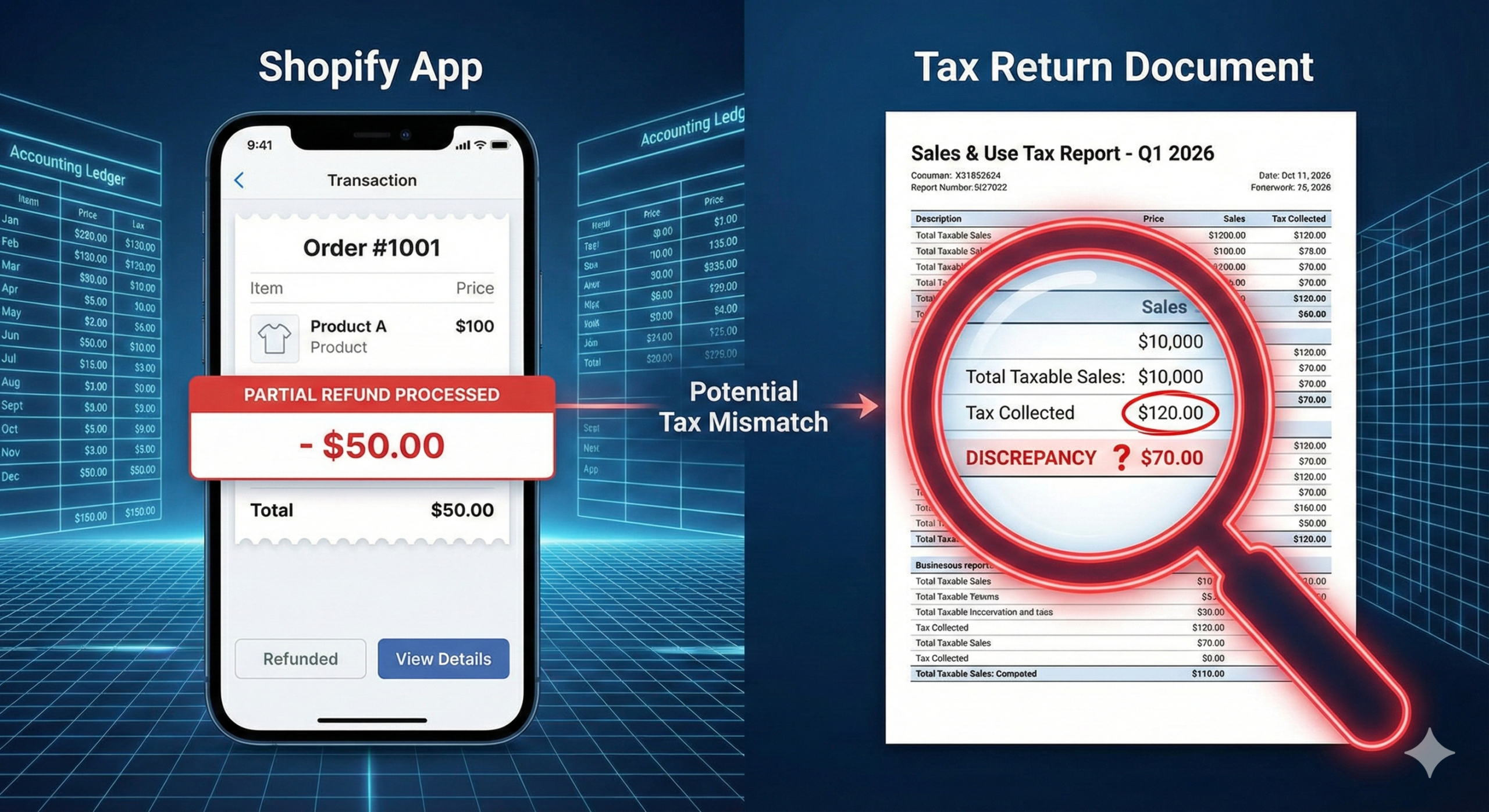
You trust your Shopify dashboard. It says you collected $5,000 in sales tax this month. You file your return and pay the state.
But you actually only collected $4,200.
Congratulations, you just overpaid the government $800 of your own money because of a known Shopify reporting glitch.
Navigating the ecosystem of Shopify tax apps and reports is dangerous. From the infamous ‘Partial Refund Bug’ to Print-on-Demand integration errors, the platform is full of traps for the unwary seller.
Here is the technical guide to fixing these glitches and choosing the right software stack (TaxJar, Avalara, or Link My Books) for 2026.
The “Partial Refund” Bug: Shopify’s Dirty Secret
This is the most critical flaw in the entire ecosystem.
If a customer buys 3 items and returns 1, you issue a Partial Refund.
- What should happen: Shopify refunds the item price AND the proportional sales tax to the customer, and updates your “Tax Collected” report.
- What actually happens: Shopify refunds the money to the customer, but fails to update the tax liability report correctly.
The Result: Your report still says you owe the full tax amount. If you use Shopify’s native reports to file, you are overpaying taxes on money you already gave back to the customer.
- The Fix: Never file directly from Shopify’s dashboard. You must use a third-party accounting tool or manually reconcile refunds in a spreadsheet before filing.
The “Authorization Hold” Glitch (Checkout Failures)
Have you noticed failed transactions at checkout? It might be a tax calculation timing error.
- Customer clicks “Checkout.” Shopify estimates tax and authorizes the card for $105.
- Customer clicks “Place Order.” Shopify recalculates the exact tax. The total is now $105.20.
- Shopify voids the first charge and tries to charge $105.20.
- The Error: The bank hasn’t released the first $105 yet. The card declines for “Insufficient Funds.” You lose the sale. The card declines for ‘Insufficient Funds’. Most Shopify tax apps cannot fix this banking delay, but they can help you visualize the lost revenue.
The App Dilemma: Printful, Oberlo & DropShipping
When you use Dropshipping apps, you introduce a “Middleman Tax Problem.”
- The Scenario: Printful charges YOU sales tax on the shirt + shipping because they have a warehouse in North Carolina.
- The Problem: If you don’t have Nexus in North Carolina, you didn’t charge YOUR customer tax.
- The Loss: You just paid 8% tax to Printful that you didn’t collect. That eats directly into your profit margin.
- The Solution: You must provide a Resale Certificate to Printful (and other apps) to stop them from charging you tax. (See our guide on [Resale Certificates]).
2026 Comparison: The Best Shopify Tax Apps
Native tools aren’t enough. You need a robust stack. Here are the top Shopify tax apps winners for 2026 that solve these compliance issues.
1. For Accounting & Bookkeeping (The “Must-Haves”)
These tools don’t file taxes, but they fix the reporting bugs so your books are accurate.
- [Link My Books]: The gold standard for Xero/QuickBooks integration.
- Best Feature: It automatically separates sales, fees, and taxes. It handles the “Partial Refund” bug correctly by reconciling the actual payout data.
- Verdict: Essential for accurate P&L.
- [Webgility]: The heavy lifter for multi-channel sellers (Shopify + Amazon + eBay).
- Best Feature: It posts journal entries directly to QuickBooks Enterprise.
2. For Compliance & Auto-Filing (The “Life-Savers”)
These tools actually calculate the tax in real-time (Rooftop Accuracy) and file the returns for you.
| Shopify Tax Apps | Best For | Pros | Cons |
| TaxJar | SMBs (US-Only) | Easy to use, “AutoFile” feature is great. | Owned by Stripe, support can be slow. |
| Avalara | Enterprise | The most robust global engine. Handles complicated products. | Expensive. Setup is complex. |
| Numeral | Tech/Startups | Modern API, guarantees on-time filing. | Newer player. |
| Zamp | “Hands-off” | White-glove service. They do everything. | All-inclusive pricing (higher tier). |
Summary: How to Build Your Tax Stack
Don’t rely on Shopify alone.
- Fix the Books: Use Link My Books to sync to QuickBooks/Xero and bypass the refund bug.
- Automate Filing: If you have Nexus in more than 3 states, get TaxJar or Avalara.
- Watch the Checkout: Monitor your failed payments. Even the best Shopify tax apps require human oversight to ensure the bank authorizations aren’t killing your conversion rates.
Now that your apps are synced, ensure your store is set up legally. Read our Shopify Sales Tax Manual to fix the “Checkbox of Death,” or check the Amazon FBA Tax Deductions to save more money.